Web2Publish - Patch 3 - Change Log
This patch, released on 23 September 2026, makes the Planning Tree step remember column settings in your browser and includes three smaller fixes.
Build Name on FTP: web2publish_4.8.0.4.zip
Highlight feature
ADMIN-4068 | Planning Tree step remembers column settings
The Planning Tree step now saves your column settings in your browser's
local storage. When you show, hide, or rearrange columns, the step keeps your setup, even after you close it or refresh the page.
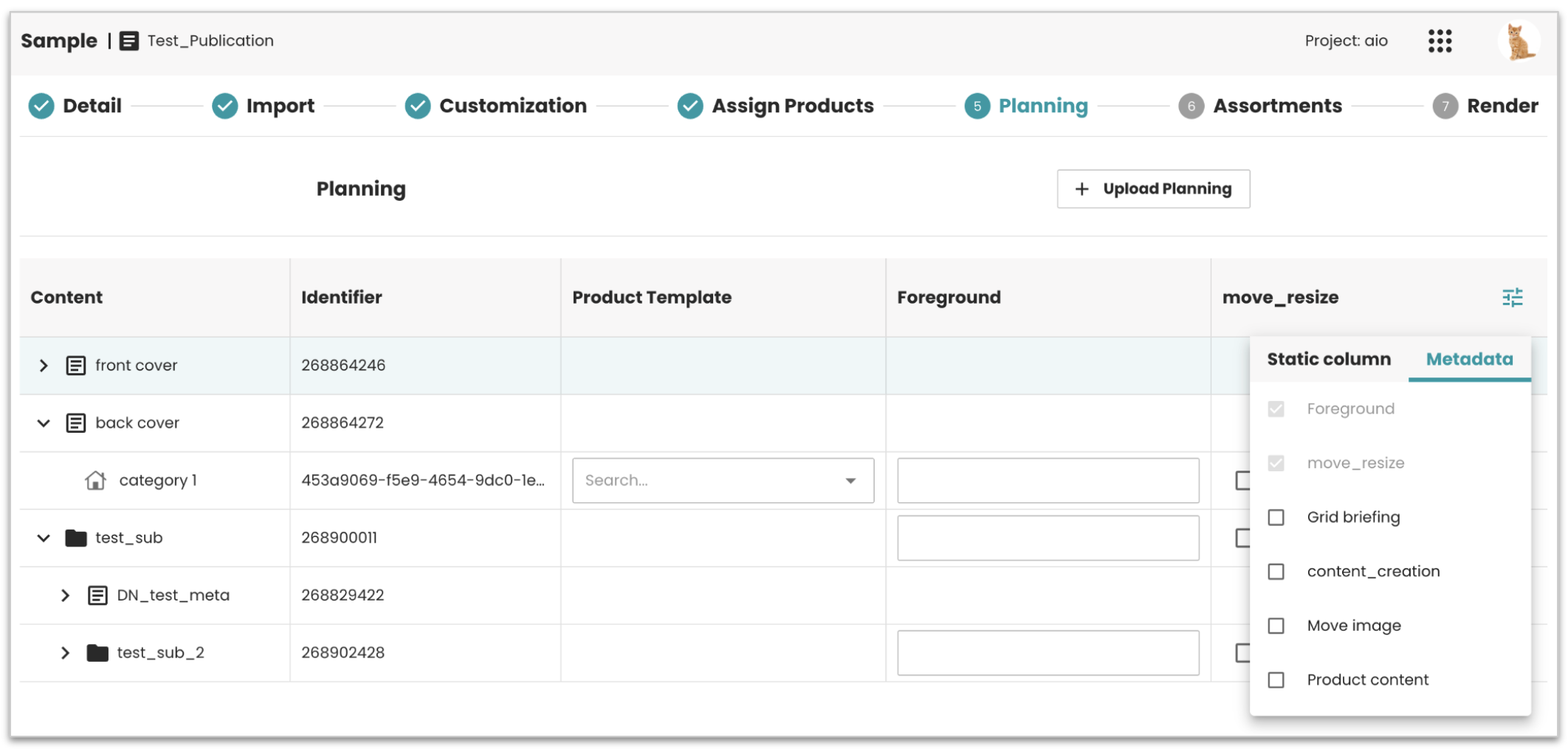 Result: Set up your columns once, and they stay the same each time you
open the Planning Tree step in the same browser. If you switch browsers
or clear your browser data, the columns go back to default.
Result: Set up your columns once, and they stay the same each time you
open the Planning Tree step in the same browser. If you switch browsers
or clear your browser data, the columns go back to default.
Bug fixes and improvements
- ADMIN-4159 | Fixed node icons missing in the Planning Tree.
- ADMIN-4131 | Fixed dynamic form fields staying empty even when a value exists, the field now shows its default value.
- ADMIN-4169 | Fixed an uploaded logo not showing right away in the Customization step. The upload process finished, but after closing it with a Global Button, the new image didn't show in the image list. Users had to go to another step and come back to see it. Now the image list reloads when the process is done, and the new image shows up right away.
System compatibility
| Dependency | Min version | Max version |
|---|---|---|
| PubServer | 4.8.0.715 | 4.8.0.819 |