Data Management - Patch 3 - Change Log
This patch, released on 23 September 2026, brings custom sort definitions, moving buckets in the tree, and Attribute Sets in the Facet Hierarchy settings, along with a few fixes in Create Group.
The build name on FTP: data-management_4.8.0.4.zip
Highlight features
ADMIN-3747, ADMIN-3727 | Custom sort definitions for Groups and Facet Nodes
Groups and Facet Nodes can now have their own sort definition, so
records come back in the order you set.
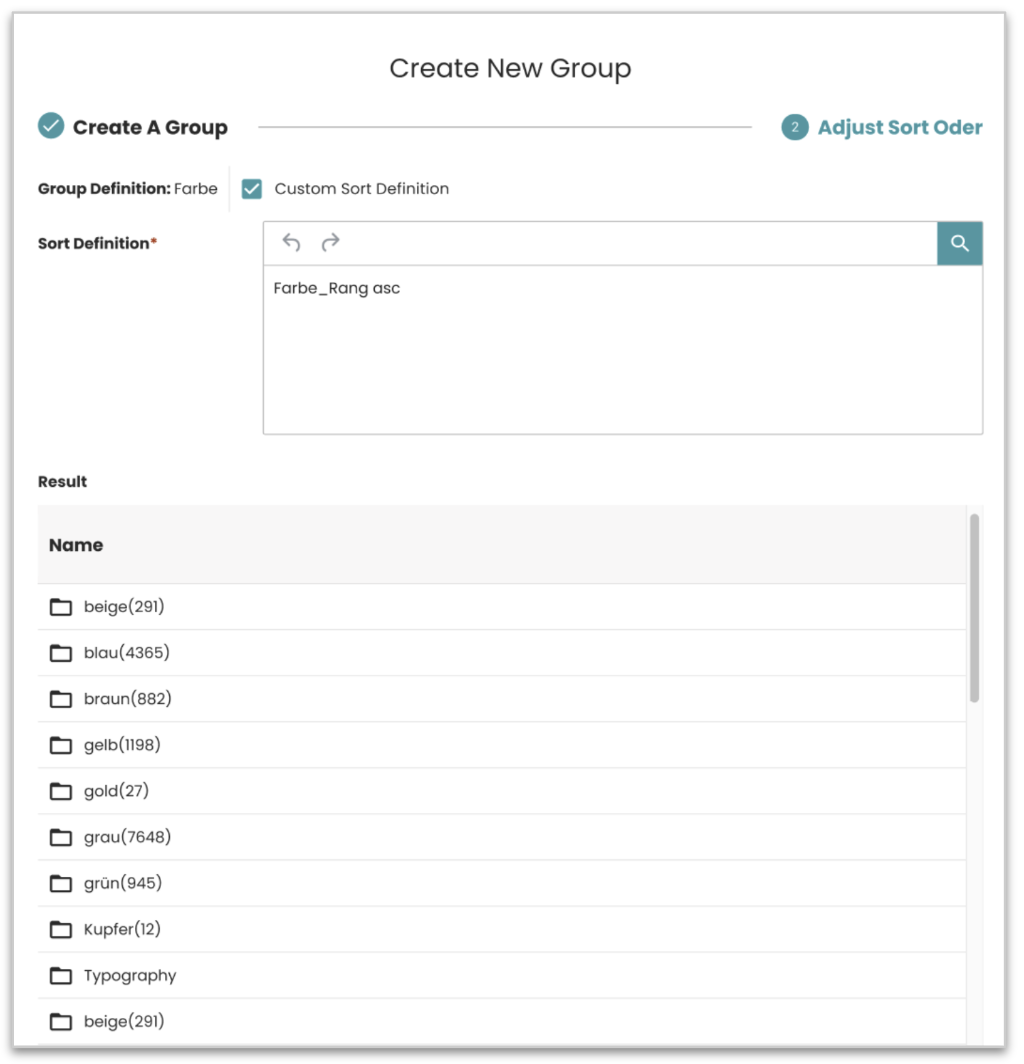 In Create and Edit Group, step 2 now offers two options. Default sorted
list shows the result right away and lets you reorder rows by drag and
drop. Custom Sort Definition lets you type a sort expression and run it
to see the sorted result. Only one option is active at a time, and the
form reopens in the mode you saved last.
In Create and Edit Group, step 2 now offers two options. Default sorted
list shows the result right away and lets you reorder rows by drag and
drop. Custom Sort Definition lets you type a sort expression and run it
to see the sorted result. Only one option is active at a time, and the
form reopens in the mode you saved last.
For detailed information about configuring the group custom sort, see the Custom sort for group definitions documentation.
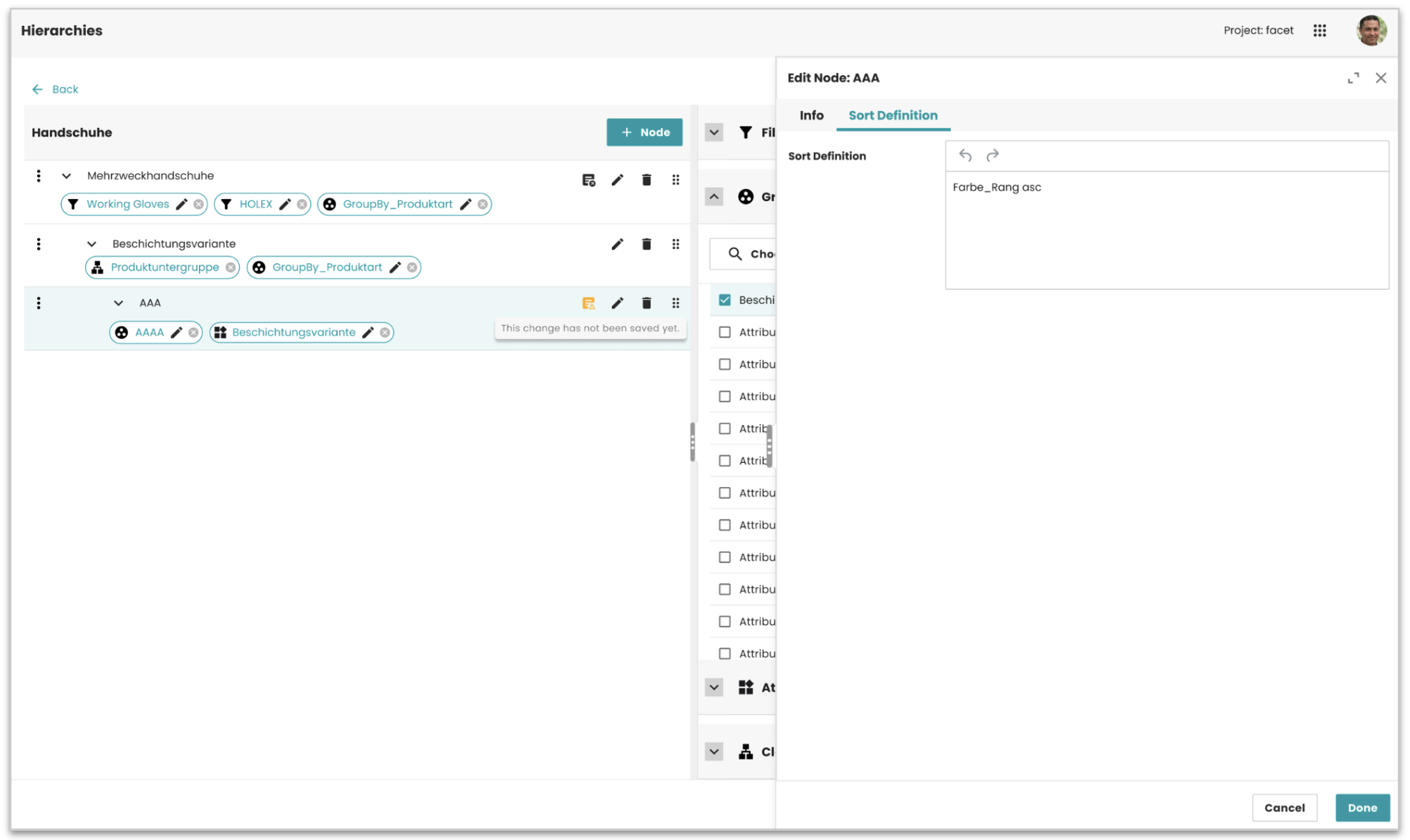
For Facet Nodes, the Edit Node panel has a new SD tab next to Info. Fill
in the Definition field (with suggestions if a Data Provider plugin is
set up), and a label shows on the node row. Click the label to open the
SD tab directly.
For detailed information about configuring the article sort, see the Sorting Articles documentation.
Both options only show up when the entity model includes sort definition. Customers without it see no change.
Result: The order of Group and Facet Node results is now defined by the user, not fixed by the system.
ADMIN-4054 | Move a bucket to a new parent or to root
The Edit Bucket form in the Content module now has a Parent Bucket field. Pick a new parent from the tree picker, or clear the field to make the bucket a root bucket. Parents that are not allowed are disabled in the picker. The move happens on Save, and the whole subtree moves with it. This option is only on the Edit form, not when creating a new bucket.
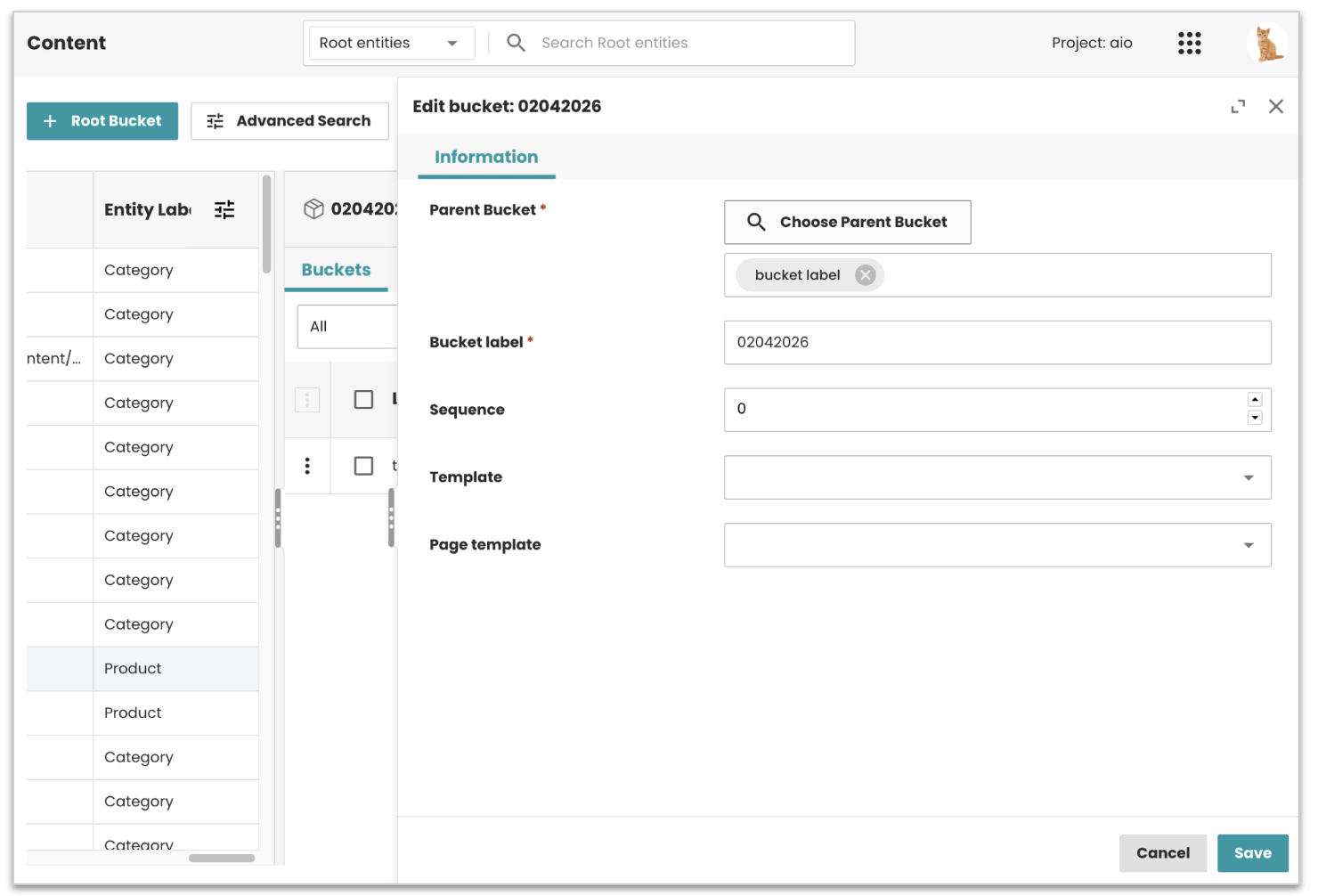
Result: Users can reorganize the bucket tree without deleting and recreating buckets.
ADMIN-4090 | Attribute Sets in the Facet Hierarchy settings
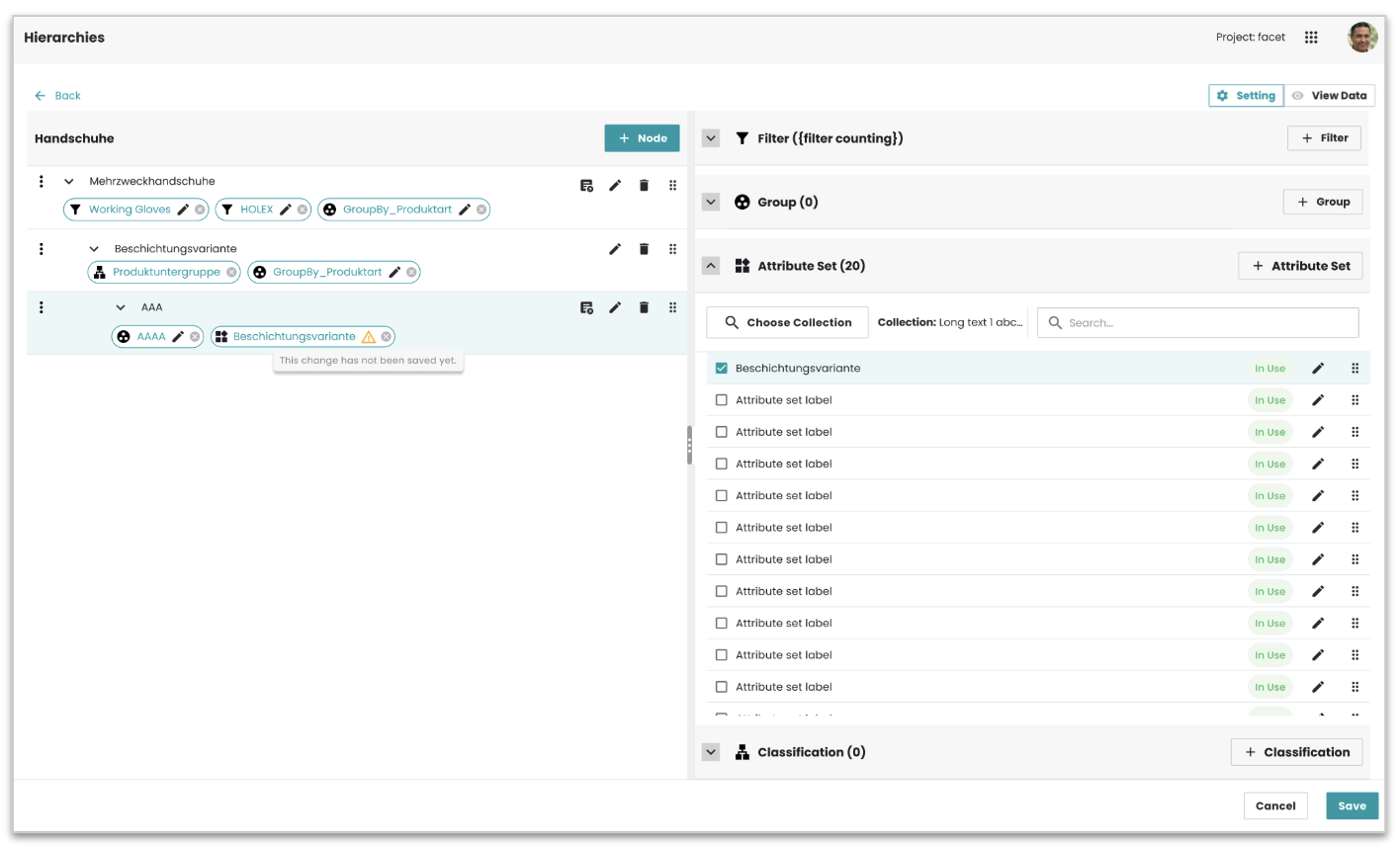 Attribute Sets now show in the right panel of the Facet Hierarchy
settings, under Group, and work the same way as Filter and Group. Drag
an Attribute Set onto a Facet Node to create a new cord, and its CMD
shows on the cord. This only appears when the Attribute Set feature is
enabled in the entity model.
Attribute Sets now show in the right panel of the Facet Hierarchy
settings, under Group, and work the same way as Filter and Group. Drag
an Attribute Set onto a Facet Node to create a new cord, and its CMD
shows on the cord. This only appears when the Attribute Set feature is
enabled in the entity model.
Result: Attribute Sets can be linked to Facet Nodes the same way as Filters and Groups.
For detailed information about setting the attribute sets for hierarchies, see the Assign Attribute Sets to Hierarchy Nodes documentation.
Bug fixes and improvements
- ADMIN-3741 | Fixed clearing the Parent Bucket not applying with the PublishingHubDB connector, a bucket can now be moved back to root level
- ADMIN-4154 | Fixed Create Group making a second group instead of updating the first one after going back from step 2 to step 1, an unsaved changes warning now shows when the sort order wasn't saved
- ADMIN-4126 | Fixed Create Group letting users open step 2 before filling the required fields in step 1
- ADMIN-4125 | Fixed the Sort Order list being empty after creating a Group, it now shows the same result as the previous step, and the footer buttons are aligned again
System compatibility
| Dependency | Min version | Max version |
|---|---|---|
| PubServer | 4.8.0.819 | 4.8.0.819 |